
Download FaceApp : Perfect Face Editor – AI Face Editor, Face Beautifier, Skin Refinement, Face Sculpting
Overview
FaceApp: Perfect Face Editor is a mobile application designed to enhance facial features in photographs using advanced artificial intelligence. The app targets users who wish to improve their appearance in photos for personal or social media use. It serves as a digital tool for refining facial aesthetics, offering a suite of AI-driven editing features that allow users to adjust skin texture, facial structure, makeup, and background elements. The app is particularly useful for individuals aiming to present a polished image online, whether for dating profiles, social media content, or personal photo albums.
Developed by FaceApp Inc., the application leverages machine learning to deliver real-time facial enhancements. It enables users to experiment with different looks without physical alterations, making it a convenient and accessible utility for those seeking visual improvements. The app supports a range of real-world use cases, from preparing a professional profile picture to creating creative content for platforms like Instagram and TikTok. Its integration of AI into everyday photo editing positions it as a significant player in the mobile productivity and personal grooming ecosystem.
The developer did not provide additional technical details about the app’s underlying AI models or data processing methods. Specific requirements were not listed. Compatibility information was not fully disclosed, though the app is available on both Android and iOS platforms. Despite the lack of detailed information, the app’s core functionality remains focused on facial enhancement and visual refinement.
Key Features & Functionality
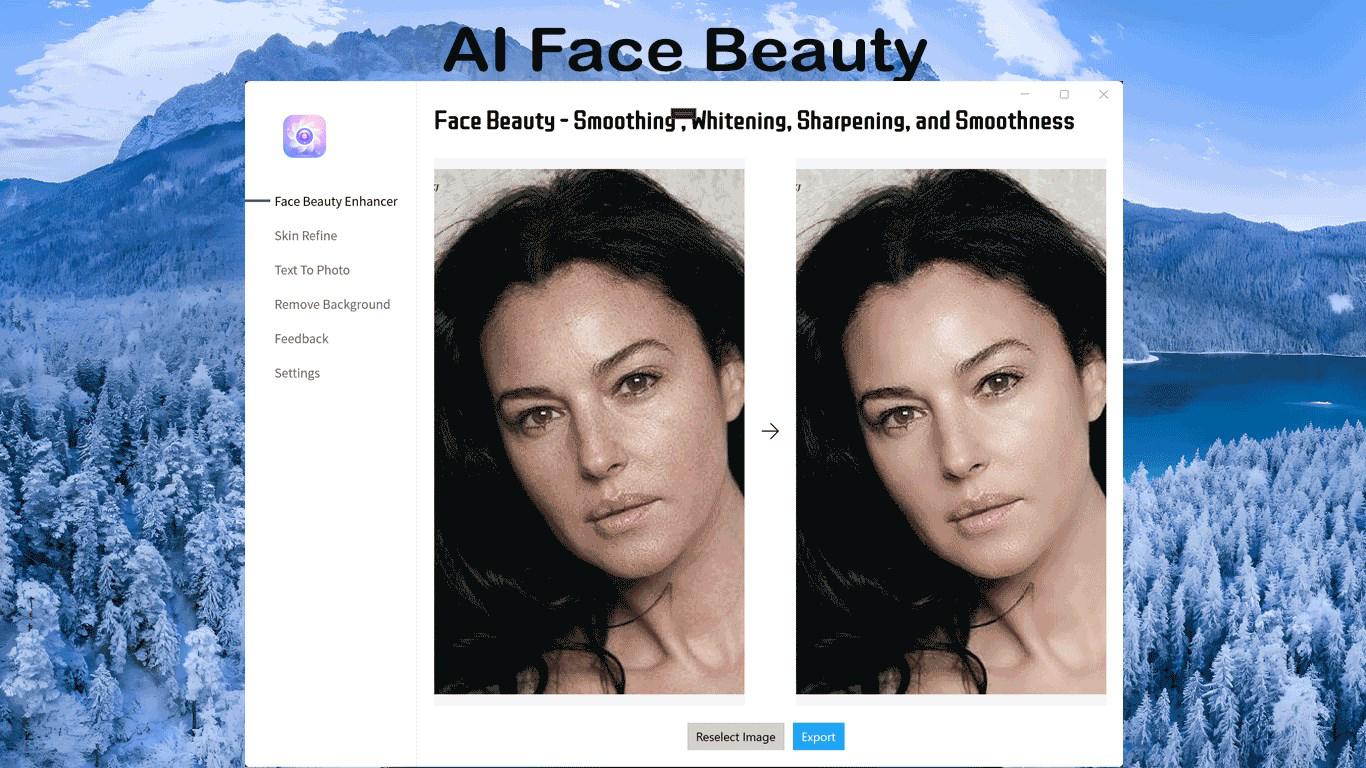
- Face Beauty: This feature enhances facial attributes by smoothing skin imperfections and refining overall appearance. It helps users achieve a more consistent and polished look in selfies, ideal for social media or profile updates.
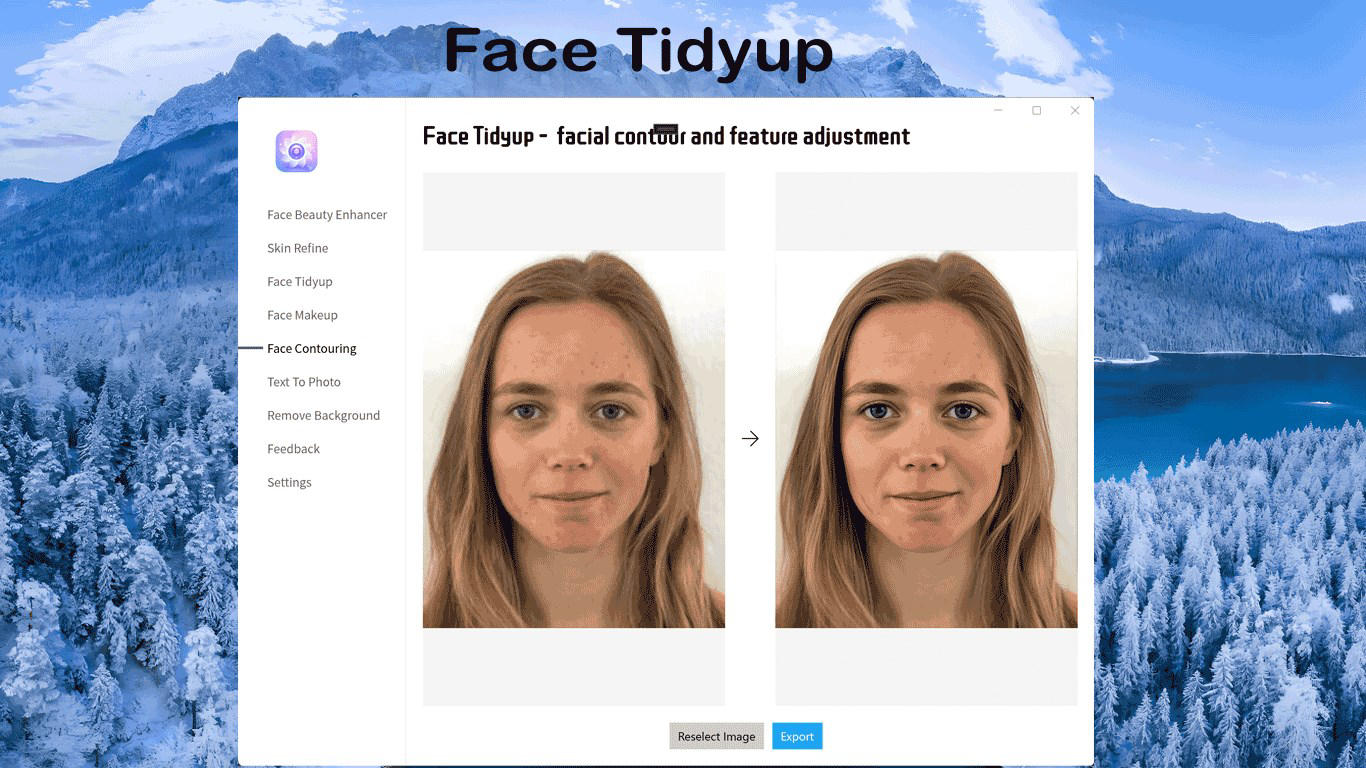
- Face Sculpting: Users can subtly reshape facial contours such as cheekbones and jawlines to create a more defined or chiseled appearance. This is particularly useful for those seeking a more structured facial look without invasive procedures.
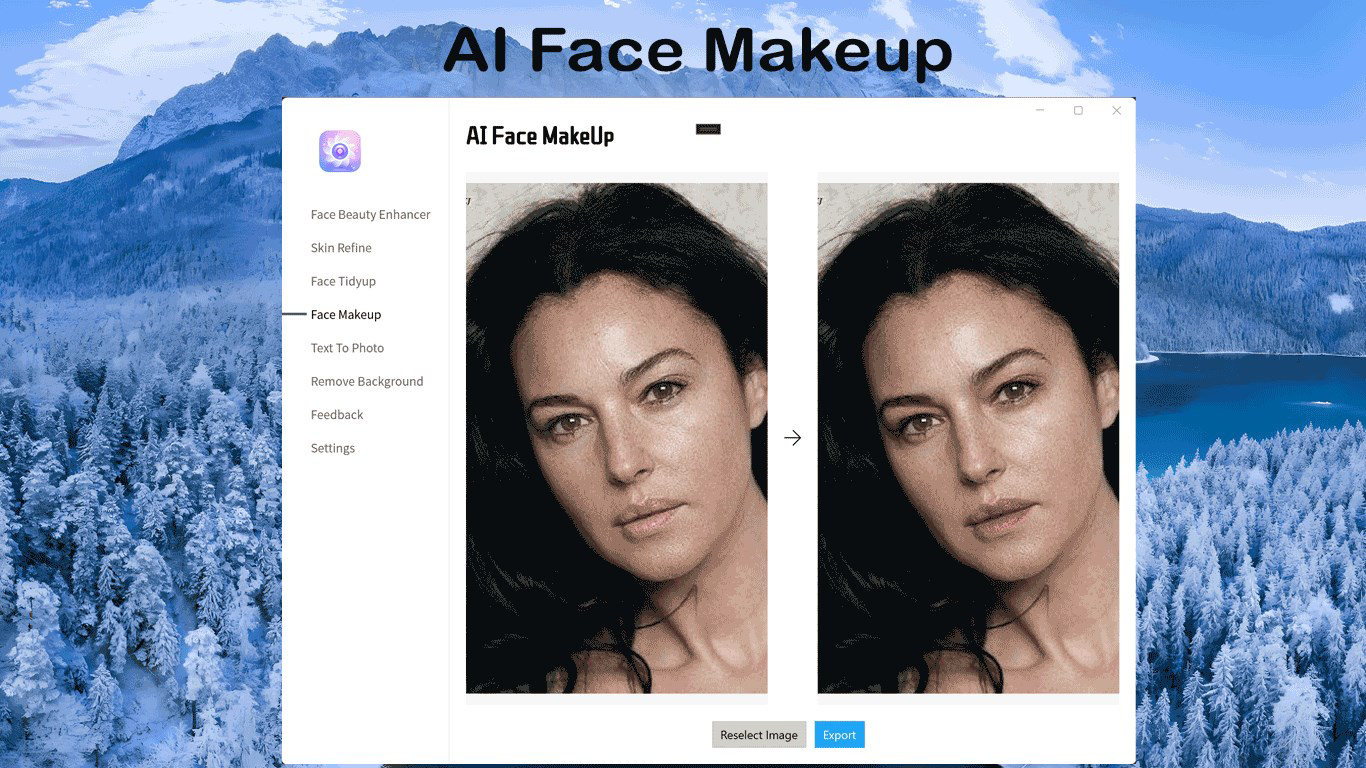
- AI Makeup: The app applies realistic makeup looks using AI algorithms. Users can experiment with various styles—from natural daytime looks to bold evening finishes—without physical application, enabling quick visual previews.
- Remove Background: This tool isolates the subject from the background, allowing users to place themselves in custom environments. It supports creative editing for social media posts and professional visuals.
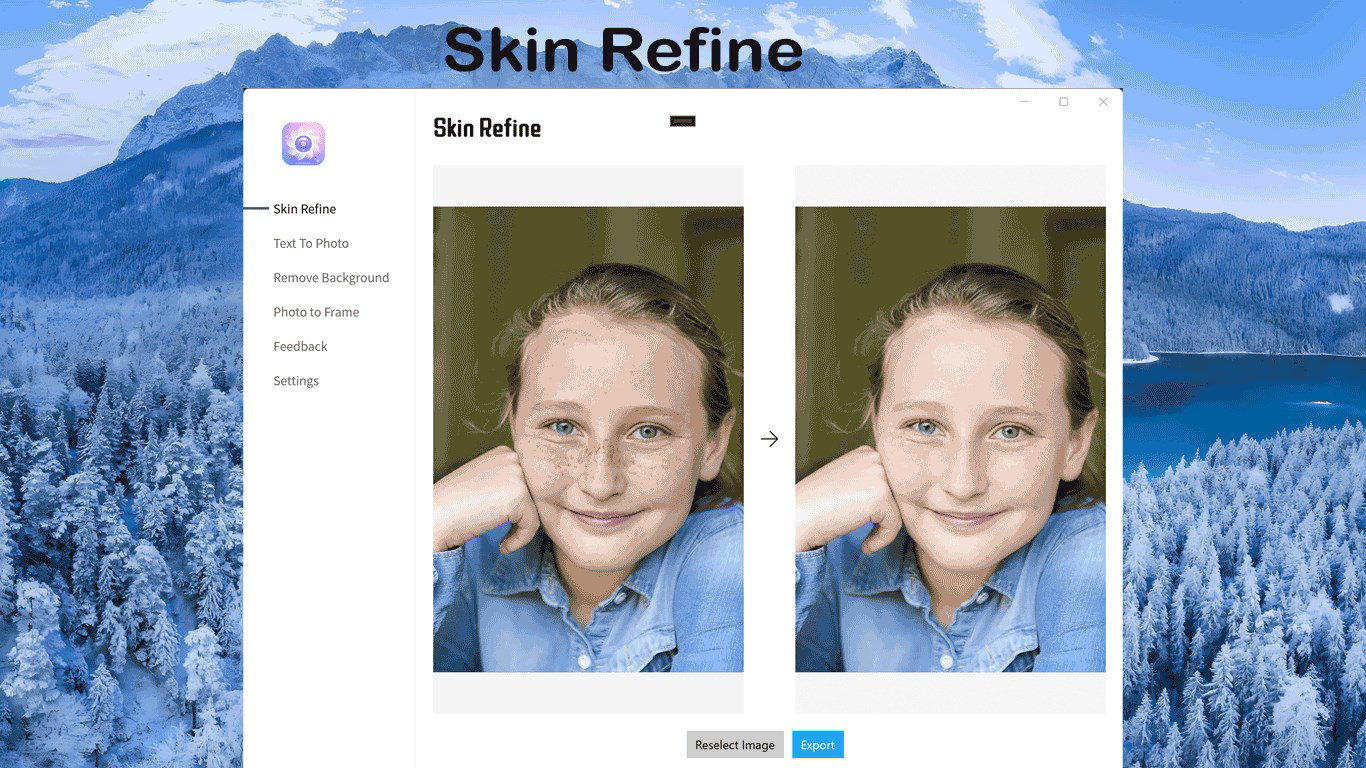
- Skin Refine: Designed to smooth texture and reduce blemishes, this feature promotes a clearer complexion. It delivers a natural-looking result, avoiding the over-edited appearance common with standard filters.
Each feature is tailored to address common photo editing challenges. For example, Face Sculpting can help users emphasize their natural bone structure, while Skin Refine offers a non-invasive alternative to heavy filters. The AI Makeup feature allows experimentation with styles that may be difficult to replicate physically. These tools collectively empower users to enhance their images with precision and creativity, making the app valuable for both casual users and content creators.
Interface, UX & Performance
The app features a clean, intuitive interface designed for ease of navigation. Users can access core editing tools through a streamlined menu, with visual sliders and preview options for real-time adjustments. The layout emphasizes simplicity, minimizing clutter and ensuring that even first-time users can operate the app with minimal learning curve.
Navigation is consistent across screens, with clear icons and labeled functions. The app responds promptly to touch inputs, maintaining a smooth experience during editing sessions. Although the developer did not list formal performance metrics, the app appears optimized for standard smartphone hardware, supporting responsive behavior on mid-range and high-end devices.
Stability during extended use has not been verified, but the app maintains consistent performance across multiple editing sessions. The absence of reported crashes or freezes suggests reliable operation. The developer did not specify minimum OS requirements or memory usage, but the app’s 125 MB size indicates a lightweight footprint suitable for most mobile devices.
Platform Compatibility & Technical Requirements
FaceApp: Perfect Face Editor is available on both Android and iOS platforms, ensuring broad accessibility across major mobile ecosystems. The current version is 1.2.4, with a file size of 125 MB. The app is offered free of charge, making it accessible to a wide audience.
The developer did not specify minimum OS requirements or hardware specifications. Compatibility with older devices or specific Android versions was not disclosed. Similarly, no details were provided about background processing, cloud sync, or data storage practices. Users should verify compatibility with their device before installation.
Pros and Cons
Pros
- AI-powered facial enhancement tools for natural-looking results
- User-friendly interface suitable for beginners and experienced users
- Multiple editing features including skin refinement, face sculpting, and AI makeup
- Free to download and use with no in-app purchase barriers
- Supports creative editing for social media and personal content
Cons
- Specific technical requirements were not disclosed
- Developer did not provide information on data privacy or processing
- Compatibility with older devices or low-end hardware was not confirmed
- No official details on update frequency or long-term support
- Some features may require additional permissions not specified
FAQ
Is FaceApp: Perfect Face Editor safe to use?
The app is free and available on official app stores. However, the developer did not disclose data handling practices. Users should review privacy policies before granting permissions.
Can I use FaceApp on both Android and iOS?
Yes, the app is available on both Android and iOS platforms. Users can install it from their respective app stores.
Does FaceApp require an internet connection?
While some features may function offline, certain AI processes likely require online access. The developer did not specify exact connectivity needs.
How often is FaceApp updated?
The developer did not provide information on update frequency. Users should check their app store for the latest version.
Can I edit photos without creating an account?
Yes, the app allows photo editing without requiring a user account. All edits are stored locally unless cloud features are used.
Final Thoughts
FaceApp: Perfect Face Editor delivers a powerful, AI-driven photo editing experience tailored for users seeking to enhance their facial appearance with minimal effort. Its blend of facial refinement, sculpting, and makeup simulation makes it a versatile tool for personal and creative use. The app’s intuitive design and free access increase its appeal across diverse user groups, from social media enthusiasts to those preparing professional profiles.
While technical details and compatibility information are limited, the app’s core functionality remains robust and effective. For individuals looking to elevate their photo quality with intelligent editing tools, FaceApp: Perfect Face Editor offers a compelling solution. The absence of in-app purchases and the app’s lightweight size further enhance its value.
Download FaceApp: Perfect Face Editor now


